searchInput
Provides a searchable input with dynamic option loading via a search handler function.
Usage
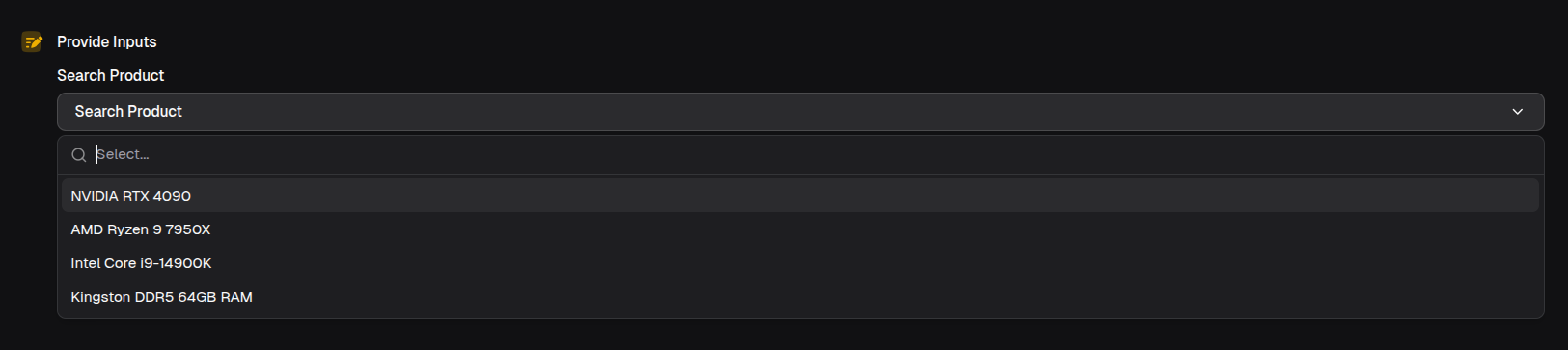
const product = await io.searchInput({
  label: 'Search Product',
  handleSearch: async (query) => {
    const products = await fetchProducts(query)
    return products.map((p) => ({
      label: p.name,
      value: p.id,
      description: p.price,
    }))
  },
})
Props
| Prop | Description | Type | Required | Default |
|---|---|---|---|---|
| label | The label for the search input | string | Yes | — |
| description | The description for the search input | string | No | undefined |
| mode | The mode of the search input | 'single' | 'multiple' | No | 'single' |
| optional | Whether the search input is optional | boolean | No | false |
| min | The minimum number of options that must be selected (multiple mode only) | number | No | undefined |
| max | The maximum number of options that can be selected (multiple mode only) | number | No | undefined |
| handleSearch | The function to handle search queries. Should return a list of options based on the query | (query: string) => Promise<SelectOption[]> | SelectOption[] | Yes | — |
Returns
Returns a Promise<string> (single mode) or Promise<string[]> (multiple mode). Return type includes | undefined if optional: true.
Examples
Multi-search
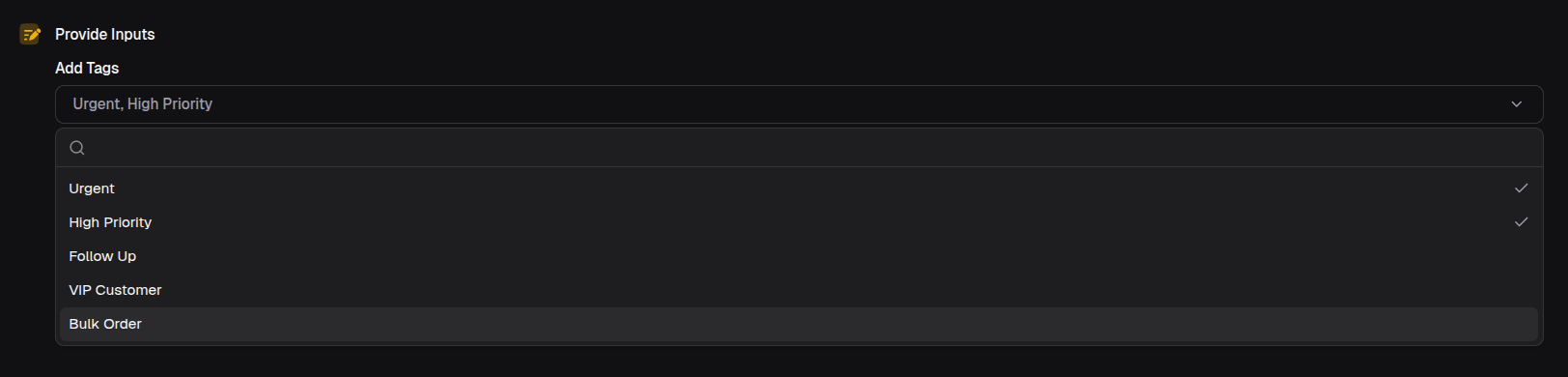
const tags = await io.searchInput({
  label: 'Add Tags',
  mode: 'multiple',
  min: 1,
  max: 5,
  handleSearch: async (query) => {
    const tags = await searchTags(query)
    return tags.map((tag) => ({ label: tag.name, value: tag.id }))
  },
})

// Returns: string[] (array of selected values)