comboChart
Combine bar and line charts to visualize multiple data series with different representations.
Usage
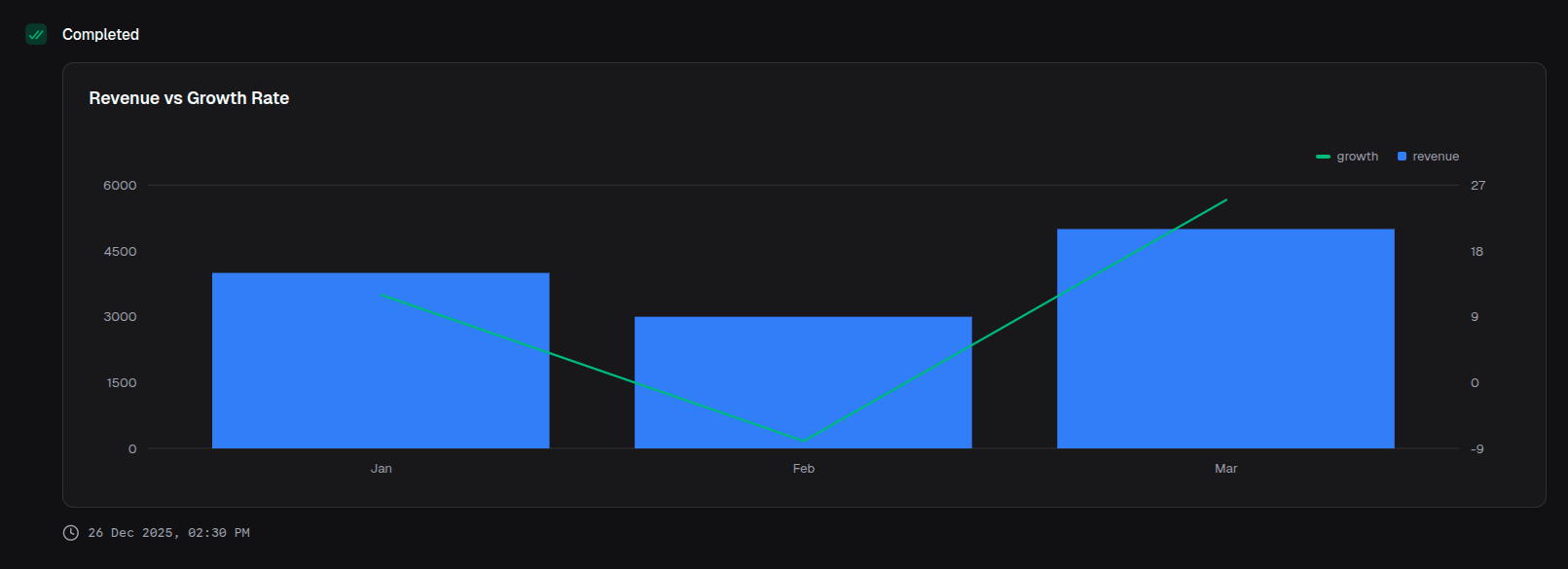
const chart = block.comboChart({
  title: 'Revenue vs Growth Rate',
  data: [
    { month: 'Jan', revenue: 4000, growth: 12 },
    { month: 'Feb', revenue: 3000, growth: -8 },
    { month: 'Mar', revenue: 5000, growth: 25 },
  ],
  index: 'month',
  barSeries: {
    categories: ['revenue'],
    colors: ['blue'],
  },
  lineSeries: {
    categories: ['growth'],
    colors: ['emerald'],
  },
})
Props
| Prop | Description | Type | Required | Default |
|---|---|---|---|---|
| title | Chart title displayed above the chart | string | No | undefined |
| description | Description text below the title | string | No | undefined |
| data | Array of data objects to visualize | T[] | Yes | — |
| index | Key of the data object for the x-axis | keyof T | Yes | — |
| barSeries | Configuration for the bar series | BarSeriesConfig | Yes | — |
| lineSeries | Configuration for the line series | LineSeriesConfig | Yes | — |
| xAxisLabel | Label for the x-axis | string | No | undefined |
| showXAxis | Whether to display the x-axis | boolean | No | true |
| showGridLines | Whether to display grid lines | boolean | No | true |
| showTooltip | Whether to display tooltips on hover | boolean | No | true |
| showLegend | Whether to display the legend | boolean | No | true |
| startEndOnly | Show only start and end labels on x-axis | boolean | No | false |
| intervalType | X-axis tick placement logic | 'equidistantPreserveStart' | 'preserveStartEnd' | No | 'equidistantPreserveStart' |
BarSeriesConfig
| Prop | Description | Type | Required | Default |
|---|---|---|---|---|
| categories | Keys of the data object for bar values | (keyof T)[] | Yes | — |
| colors | Colors for the bar series | ChartColor[] | No | ['blue'] |
| yAxisLabel | Label for the bar y-axis | string | No | undefined |
| showYAxis | Whether to display the bar y-axis | boolean | No | true |
| stackType | How bars are stacked | 'default' | 'stacked' | No | 'default' |
| valueFormat | Format configuration for bar values | ValueFormat | No | undefined |
LineSeriesConfig
| Prop | Description | Type | Required | Default |
|---|---|---|---|---|
| categories | Keys of the data object for line values | (keyof T)[] | Yes | — |
| colors | Colors for the line series | ChartColor[] | No | ['blue'] |
| yAxisLabel | Label for the line y-axis | string | No | undefined |
| showYAxis | Whether to display the line y-axis | boolean | No | true |
| valueFormat | Format configuration for line values | ValueFormat | No | undefined |
Returns
Returns a ComboChartOutput object that can be returned from a handler or passed to io.message().
Examples
Revenue with growth percentage
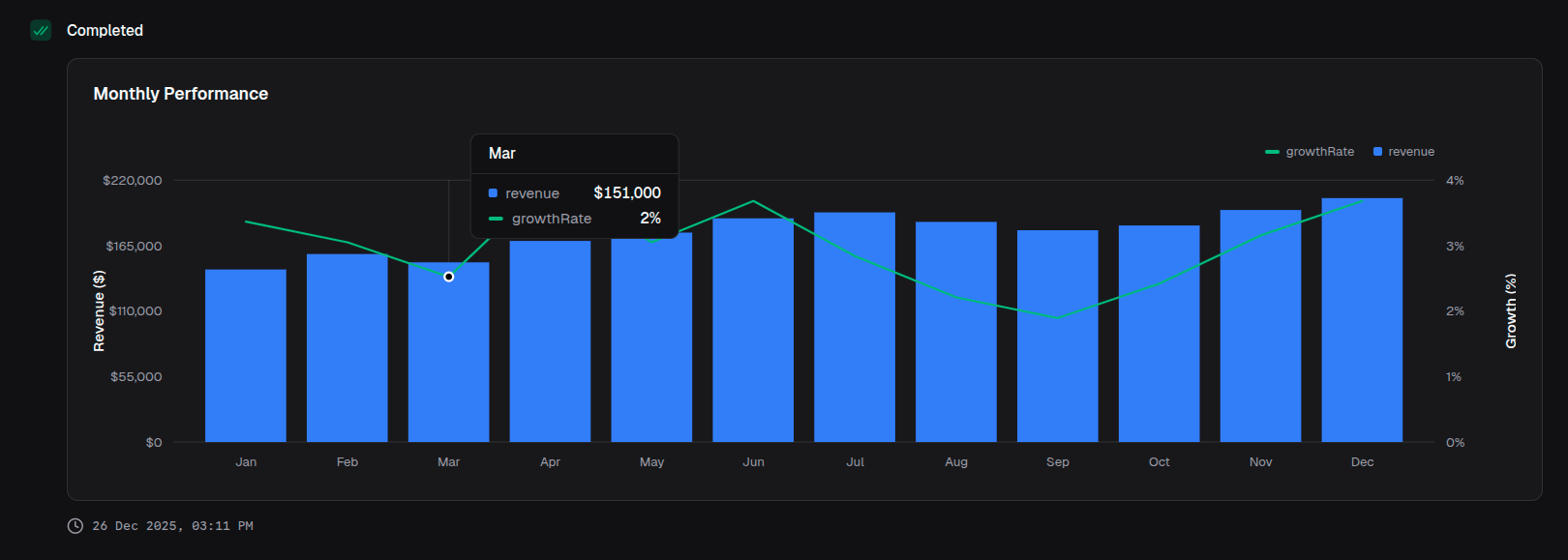
return block.comboChart({
  title: 'Monthly Performance',
  data: performanceData,
  index: 'month',
  barSeries: {
    categories: ['revenue'],
    colors: ['blue'],
    yAxisLabel: 'Revenue ($)',
    valueFormat: { type: 'currency', currency: 'USD' },
  },
  lineSeries: {
    categories: ['growthRate'],
    colors: ['emerald'],
    yAxisLabel: 'Growth (%)',
    valueFormat: { type: 'percentage' },
  },
})
Stacked bars with trend line
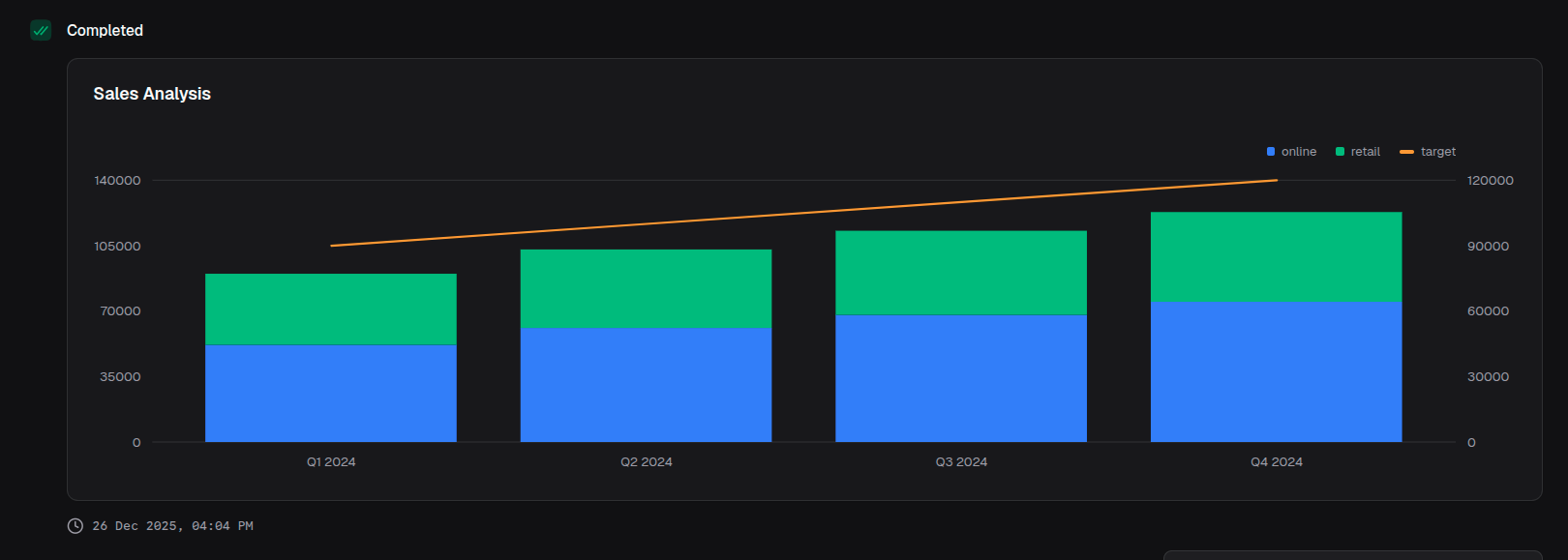
return block.comboChart({
  title: 'Sales Analysis',
  data: salesData,
  index: 'quarter',
  barSeries: {
    categories: ['online', 'retail'],
    colors: ['blue', 'violet'],
    stackType: 'stacked',
  },
  lineSeries: {
    categories: ['target'],
    colors: ['amber'],
  },
})
Multiple lines with bars
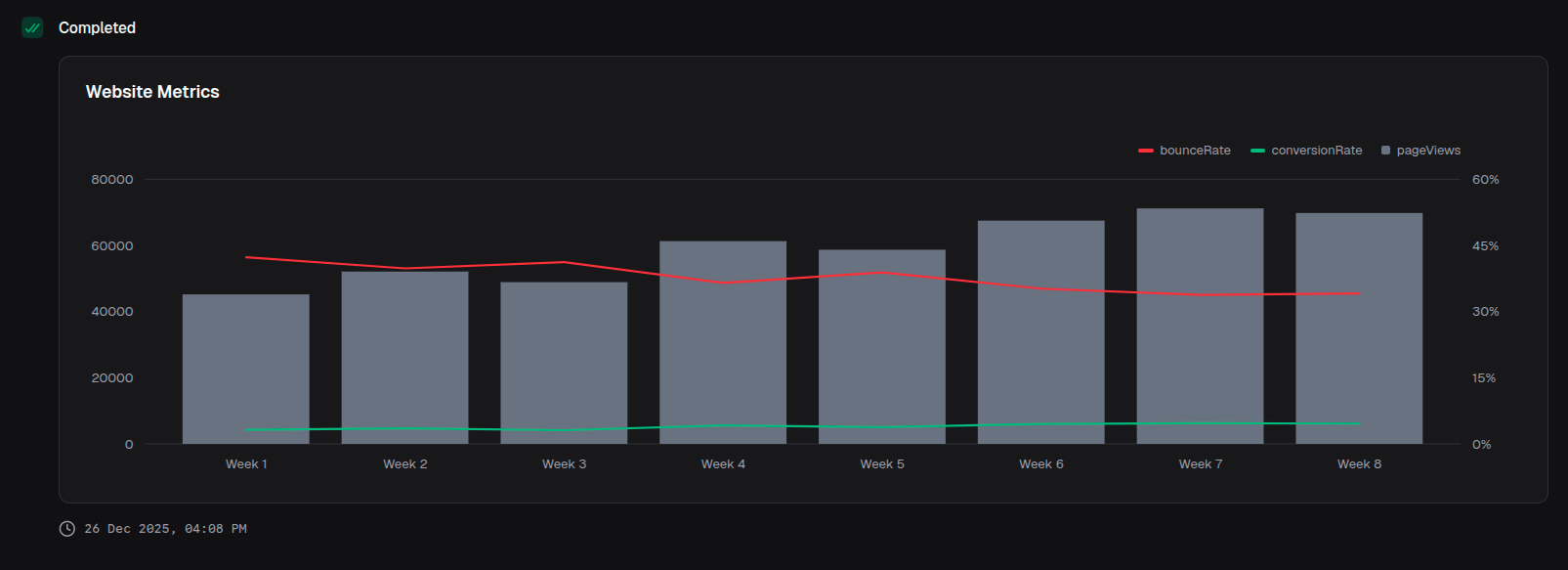
return block.comboChart({
  title: 'Website Metrics',
  data: metricsData,
  index: 'week',
  barSeries: {
    categories: ['pageViews'],
    colors: ['gray'],
  },
  lineSeries: {
    categories: ['bounceRate', 'conversionRate'],
    colors: ['red', 'emerald'],
    valueFormat: { type: 'percentage' },
  },
})