table
Display structured data in a tabular format with customizable columns and formatting.
Usage
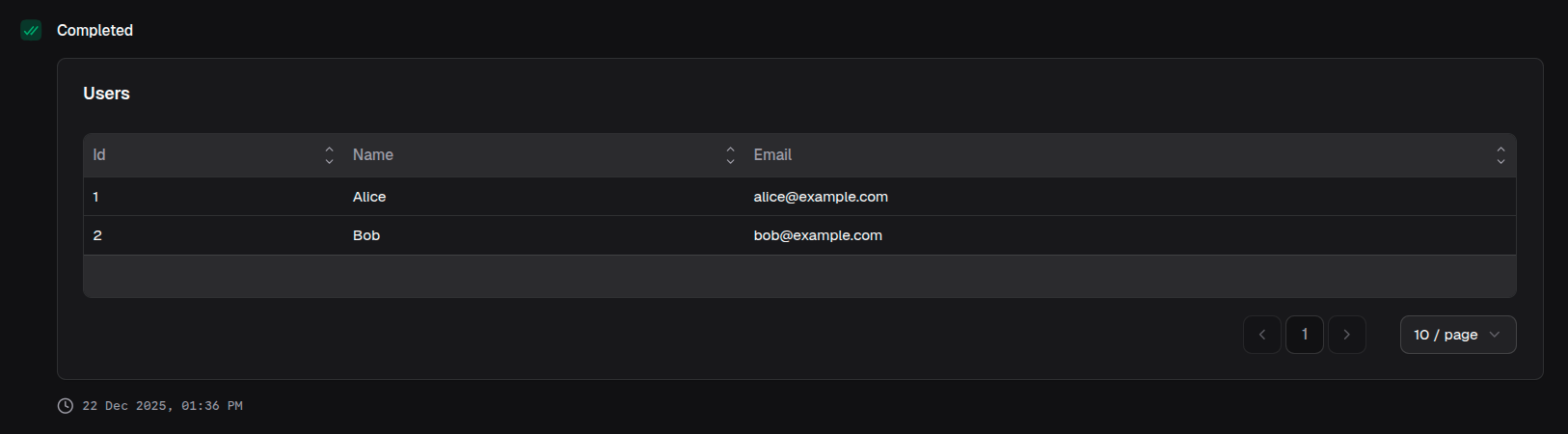
const table = block.table({
  title: 'Users',
  data: [
    { id: 1, name: 'Alice', email: 'alice@example.com' },
    { id: 2, name: 'Bob', email: 'bob@example.com' },
  ],
  columns: [
    { key: 'ID', label: 'id' },
    { key: 'Name', label: 'name' },
    { key: 'Email', label: 'email' },
  ],
})
Props
| Prop | Description | Type | Required | Default |
|---|---|---|---|---|
| title | Title displayed above the table | string | No | undefined |
| description | Description text below the title | string | No | undefined |
| data | Array of row data objects | Record<string, unknown>[] | Yes | — |
| columns | Column configuration | TableColumn[] | Yes | — |
TableColumn
| Property | Description | Type | Required |
|---|---|---|---|
| header | Column header text | string | Yes |
| accessorKey | Key to access data from row | string | Yes |
| render | Custom render configuration | TableRenderConfig | No |
TableRenderConfig
| Property | Description | Type |
|---|---|---|
| type | Render type | 'badge' | 'currency' | 'link' | 'progress' | 'text' |
| variant | Badge variant (when type is 'badge') | 'default' | 'secondary' | 'destructive' | 'outline' |
| currency | Currency code (when type is 'currency') | string |
| href | URL or accessor key for link (when type is 'link') | string |
| max | Maximum value for progress (when type is 'progress') | number |
Returns
Returns a table block that can be returned from a handler or passed to io.message().
Examples
Basic table
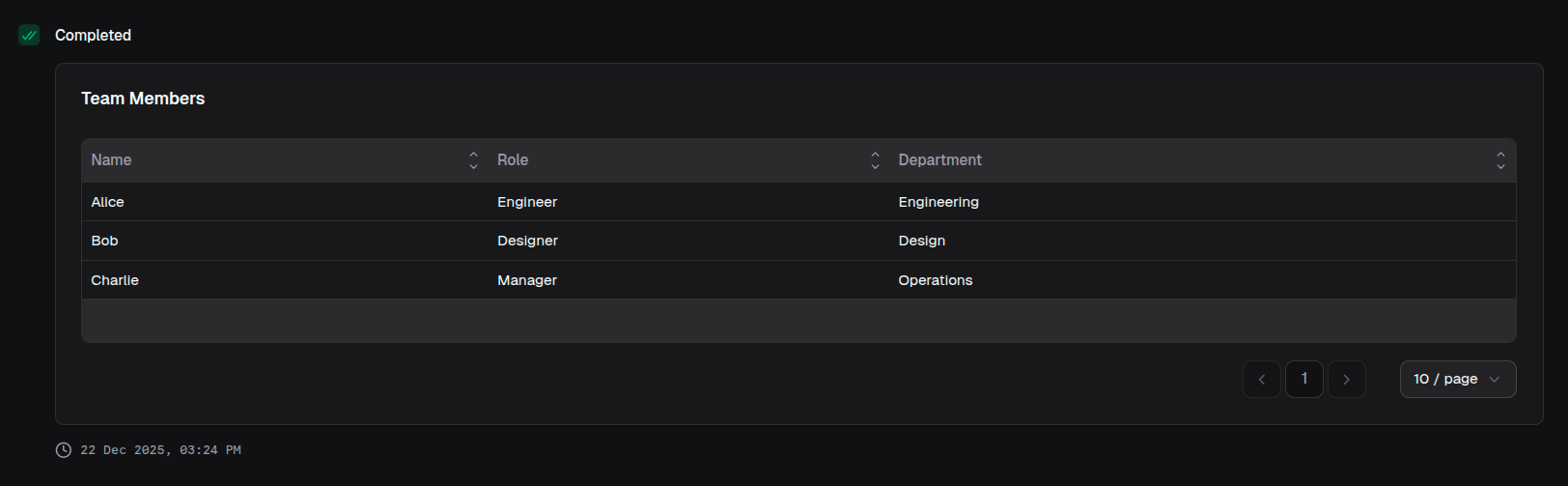
return block.table({
  title: 'Team Members',
  data: [
    { name: 'Alice', role: 'Engineer', department: 'Engineering' },
    { name: 'Bob', role: 'Designer', department: 'Design' },
    { name: 'Charlie', role: 'Manager', department: 'Operations' },
  ],
  columns: [
    { label: 'Name', key: 'name' },
    { label: 'Role', key: 'role' },
    { label: 'Department', key: 'department' },
  ],
})
With badge rendering
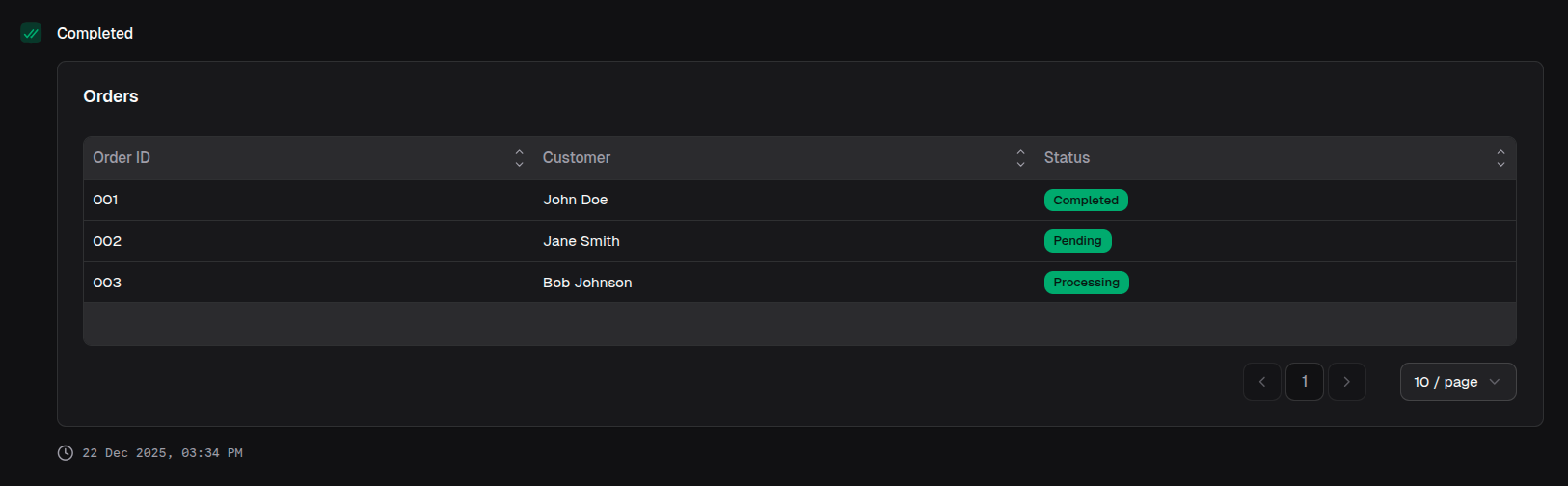
return block.table({
  title: 'Orders',
  data: orders,
  columns: [
    { label: 'Order ID', key: 'id' },
    { label: 'Customer', key: 'customer' },
    {
      label: 'Status',
      key: 'status',
      renderConfig: {
        type: 'badge',
        variant: 'default',
      },
    },
  ],
})
With progress bars
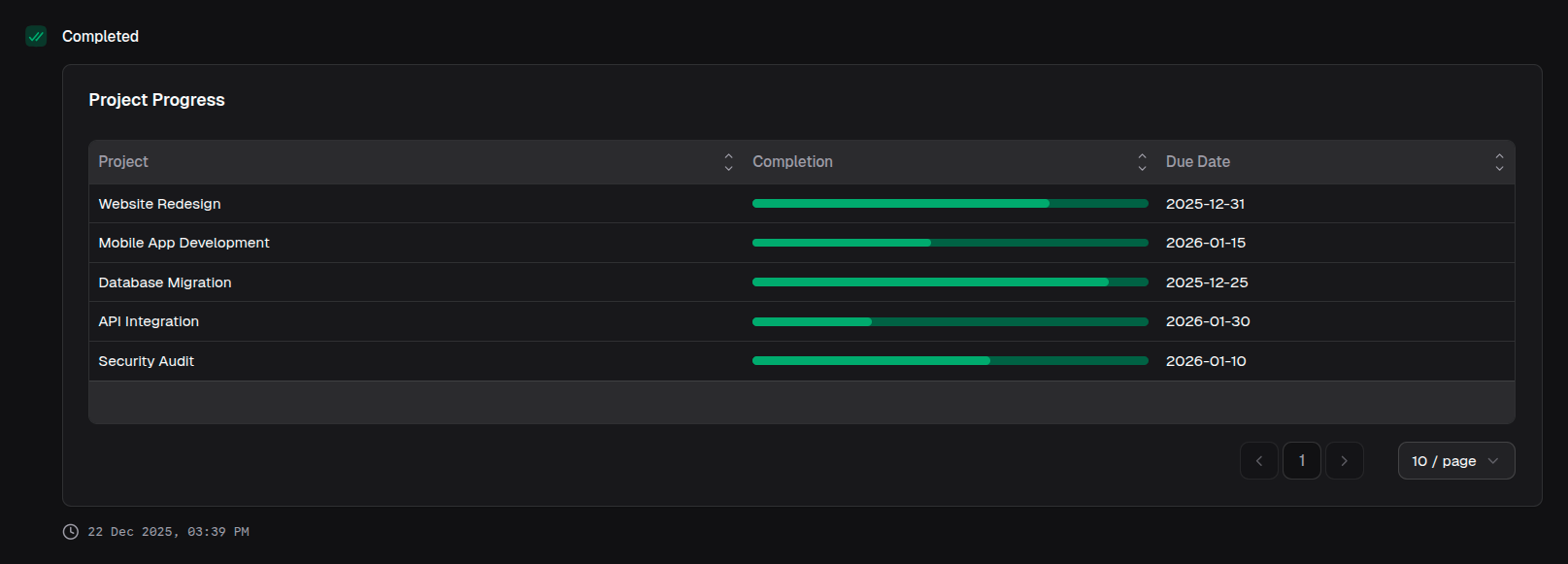
return block.table({
  title: 'Project Progress',
  data: projects,
  columns: [
    { label: 'Project', key: 'name' },
    {
      label: 'Completion',
      key: 'progress',
      renderConfig: {
        type: 'progress',
        maxValue: 100,
      },
    },
    { label: 'Due Date', key: 'dueDate' },
  ],
})
With links
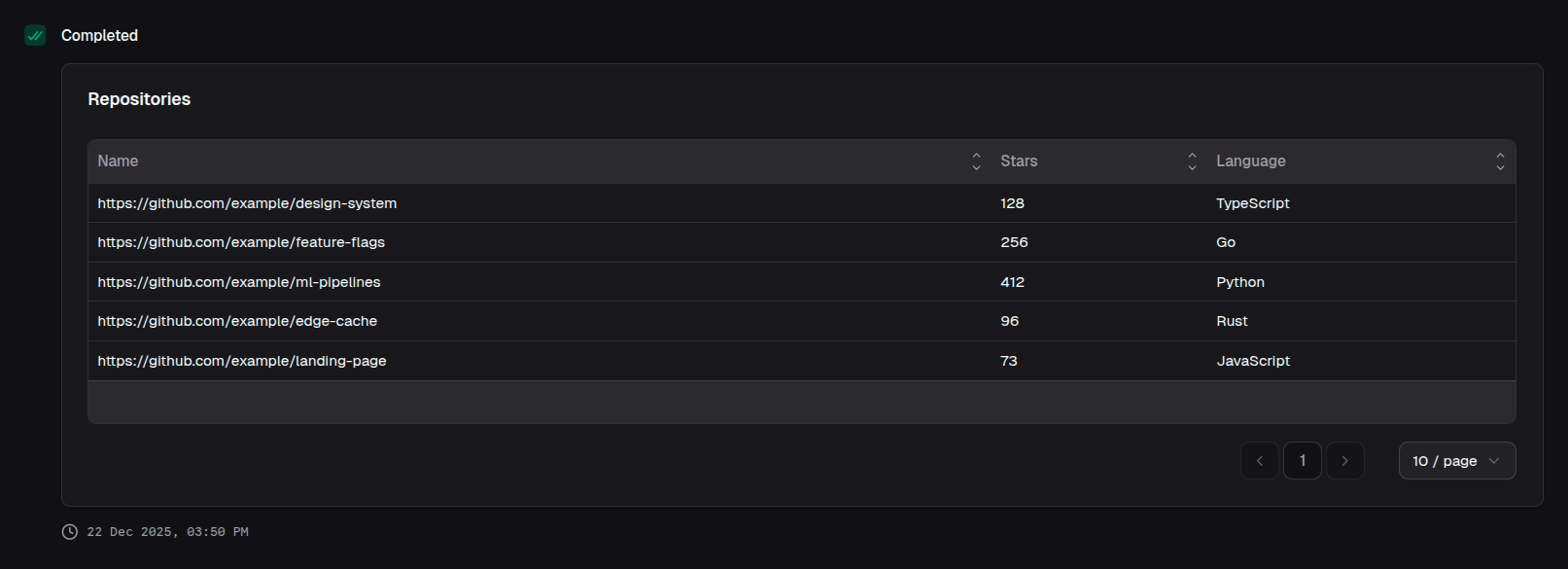
return block.table({
  title: 'Repositories',
  data: repos,
  columns: [
    {
      label: 'Name',
      key: 'name',
      renderConfig: {
        type: 'link',
        target: '_blank',
      },
    },
    { label: 'Stars', key: 'stars' },
    { label: 'Language', key: 'language' },
  ],
})
Mixed render types
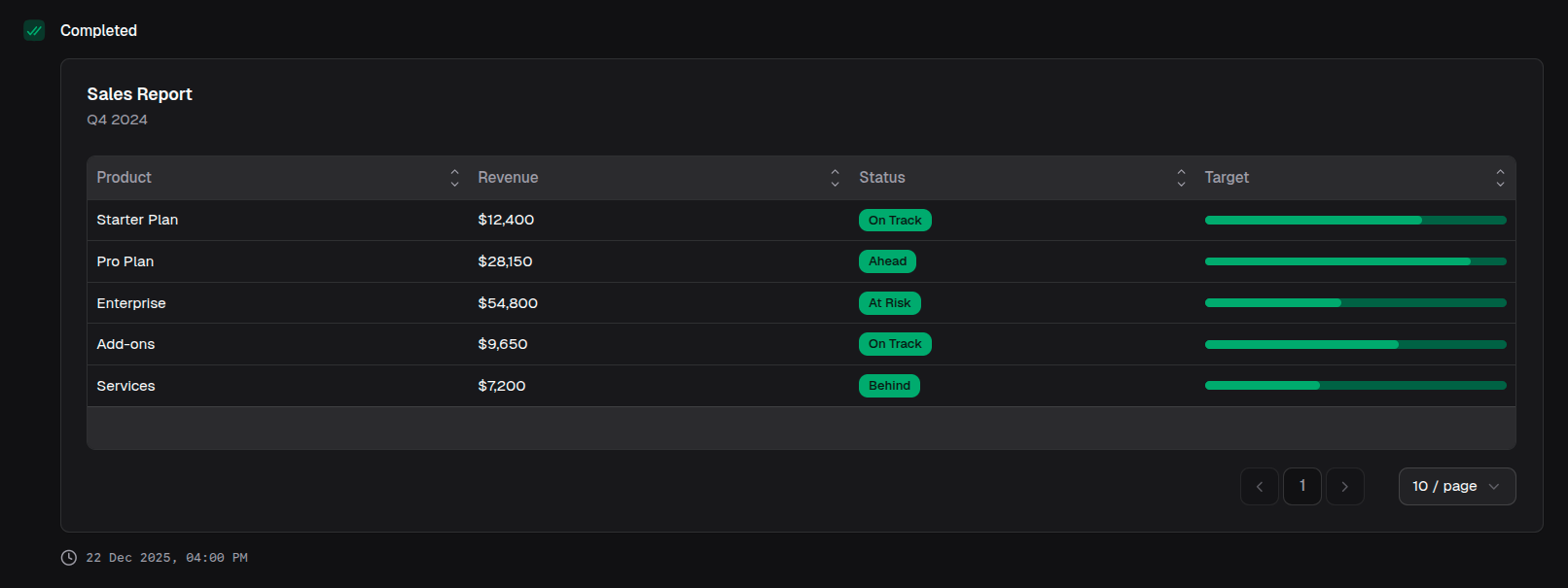
return block.table({
  title: 'Sales Report',
  description: 'Q4 2024',
  data: salesData,
  columns: [
    { label: 'Product', key: 'product' },
    {
      label: 'Revenue',
      key: 'revenue',
      renderConfig: { type: 'default' },
    },
    {
      label: 'Status',
      key: 'status',
      renderConfig: { type: 'badge', variant: 'default' },
    },
    {
      label: 'Target',
      key: 'targetProgress',
      renderConfig: { type: 'progress', maxValue: 100 },
    },
  ],
})
With error badge
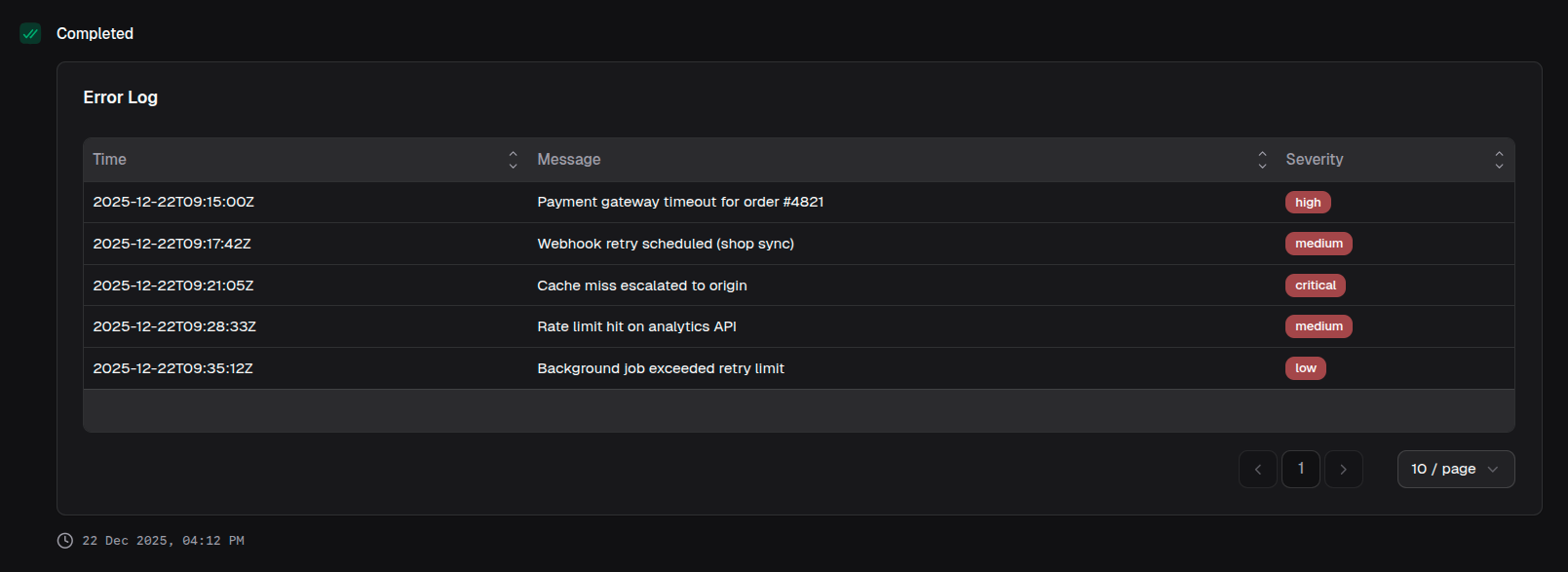
return block.table({
  title: 'Error Log',
  data: errors,
  columns: [
    { label: 'Time', key: 'timestamp' },
    { label: 'Message', key: 'message' },
    {
      label: 'Severity',
      key: 'severity',
      renderConfig: {
        type: 'badge',
        variant: 'error',
      },
    },
  ],
})