layout
Create responsive grid layouts to arrange multiple blocks together.
Usage

const dashboard = block.layout({
  columns: 12,
  children: [
    {
      element: block.kpiCard({ name: 'Revenue', value: '$125K' }),
      colSpan: 4,
    },
    {
      element: block.kpiCard({ name: 'Users', value: '8.4K' }),
      colSpan: 4,
    },
    {
      element: block.kpiCard({ name: 'Growth', value: '12%' }),
      colSpan: 4,
    },
  ],
})
Props
| Prop | Description | Type | Required | Default |
|---|---|---|---|---|
| title | Title displayed above the layout | string | No | undefined |
| description | Description text below the title | string | No | undefined |
| columns | Number of columns in the grid (1-12) | number | Yes | — |
| children | Array of layout children | LayoutChild[] | Yes | — |
LayoutChild
| Property | Description | Type | Required | Default |
|---|---|---|---|---|
| element | The block element to render | Block | Yes | — |
| colSpan | Number of columns to span (1-12) | number | No | 1 |
| rowSpan | Number of rows to span (1-12) | number | No | 1 |
Returns
Returns a layout block that can be returned from a handler or passed to io.message().
Examples
Simple two-column layout
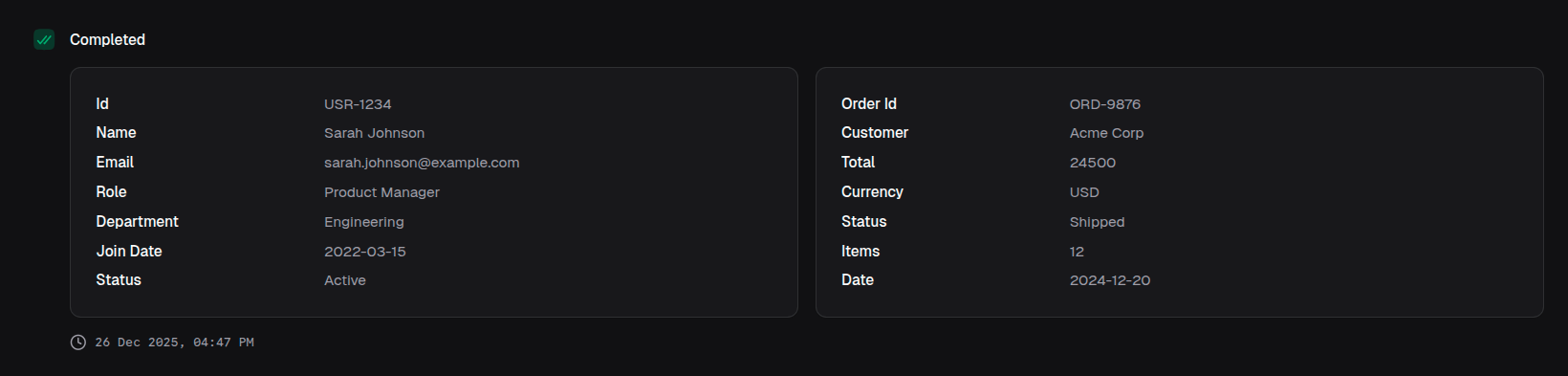
return block.layout({
  columns: 2,
  children: [
    { element: block.object({ data: userData }), colSpan: 1 },
    { element: block.object({ data: orderData }), colSpan: 1 },
  ],
})
Dashboard with 12-column grid
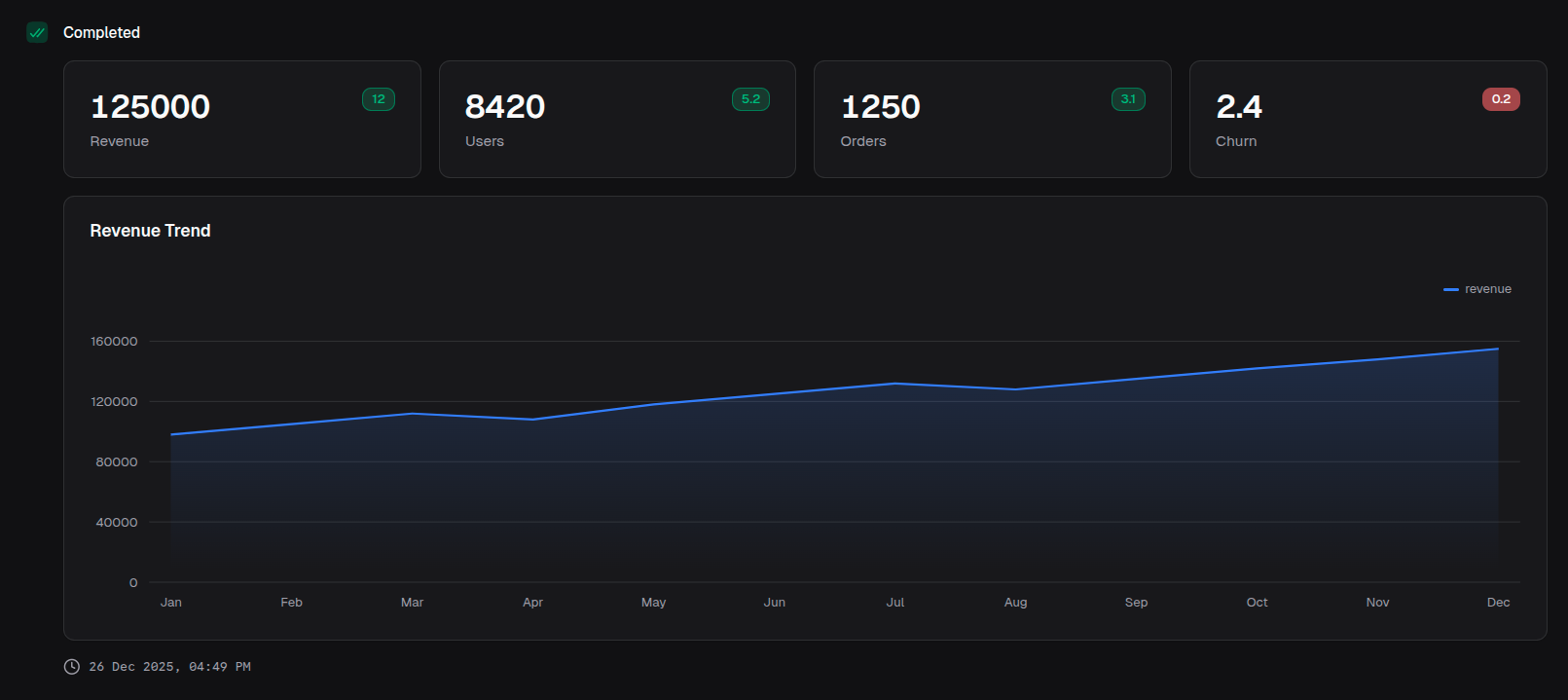
return block.layout({
  title: 'Analytics Dashboard',
  columns: 12,
  children: [
    // First row - 4 KPI cards
    {
      element: block.kpiCard({
        name: 'Revenue',
        value: 125000,
        valueFormat: { type: 'currency', currency: 'USD' },
        change: 12,
        changeType: 'positive',
      }),
      colSpan: 3,
    },
    {
      element: block.kpiCard({
        name: 'Users',
        value: 8420,
        change: 5.2,
        changeType: 'positive',
      }),
      colSpan: 3,
    },
    {
      element: block.kpiCard({
        name: 'Orders',
        value: 1250,
        change: 3.1,
        changeType: 'positive',
      }),
      colSpan: 3,
    },
    {
      element: block.kpiCard({
        name: 'Churn',
        value: 2.4,
        valueFormat: { type: 'percentage', decimals: 1 },
        change: 0.2,
        changeType: 'negative',
      }),
      colSpan: 3,
    },
    // Second row - chart spanning full width
    {
      element: block.areaChart({
        title: 'Revenue Trend',
        data: revenueData,
        index: 'date',
        categories: ['revenue'],
      }),
      colSpan: 12,
    },
  ],
})
Mixed content layout
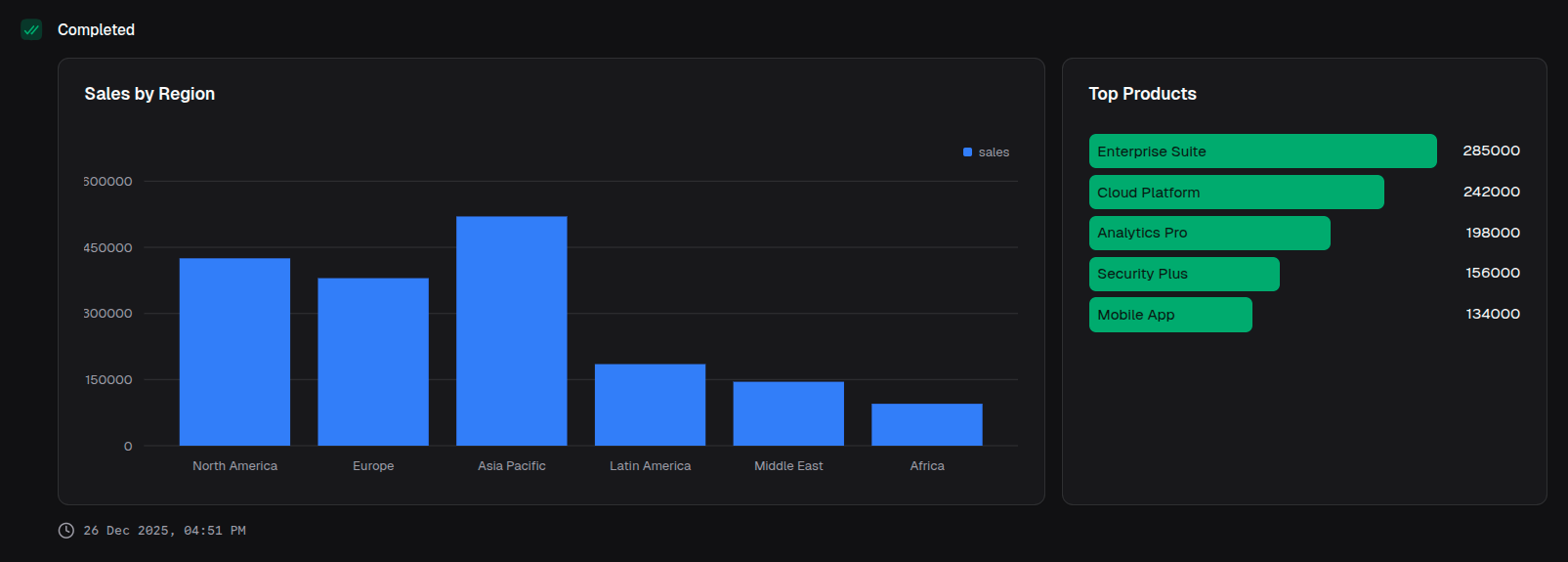
return block.layout({
  columns: 12,
  children: [
    {
      element: block.barChart({
        title: 'Sales by Region',
        data: salesData,
        index: 'region',
        categories: ['sales'],
      }),
      colSpan: 8,
    },
    {
      element: block.barList({
        title: 'Top Products',
        data: topProducts,
      }),
      colSpan: 4,
    },
  ],
})
With row spans
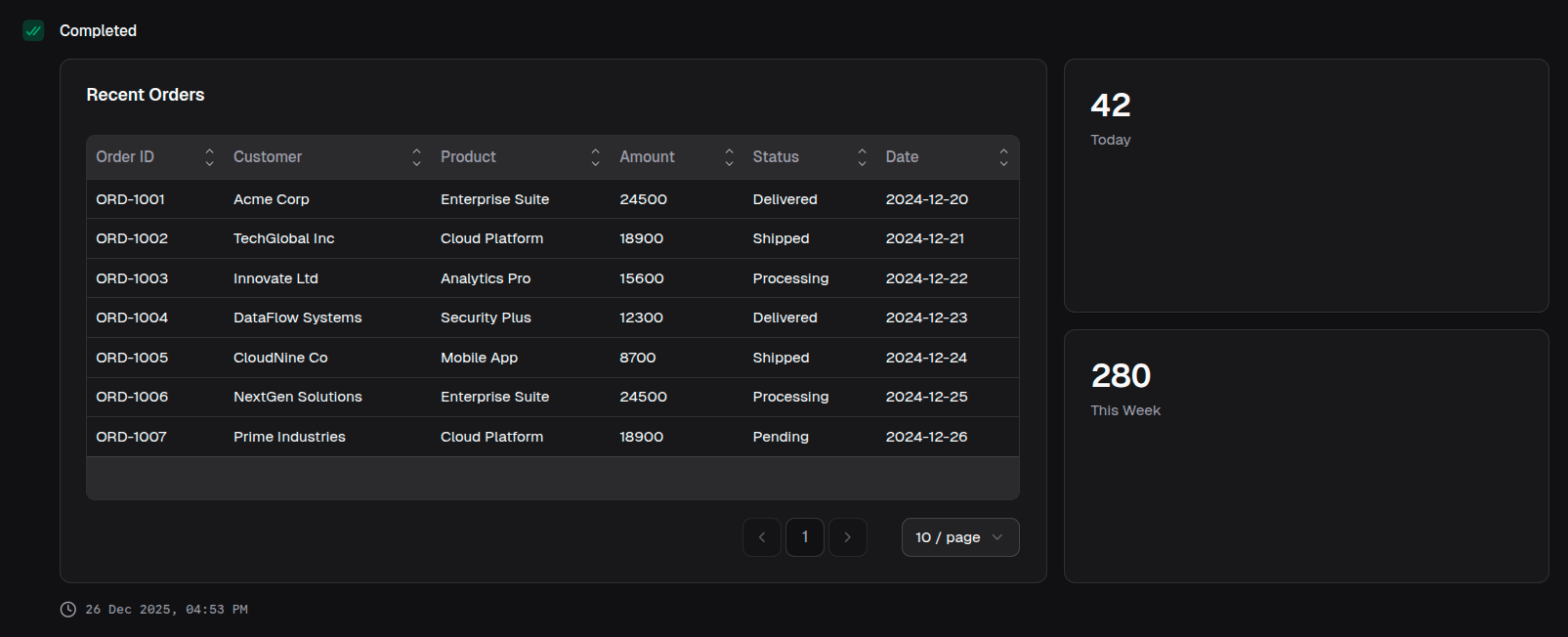
return block.layout({
  columns: 12,
  children: [
    {
      element: block.table({
        title: 'Recent Orders',
        data: orders,
        columns: tableColumns,
      }),
      colSpan: 8,
      rowSpan: 2, // Spans two rows
    },
    {
      element: block.kpiCard({ name: 'Today', value: 42 }),
      colSpan: 4,
    },
    {
      element: block.kpiCard({ name: 'This Week', value: 280 }),
      colSpan: 4,
    },
  ],
})
Nested layouts
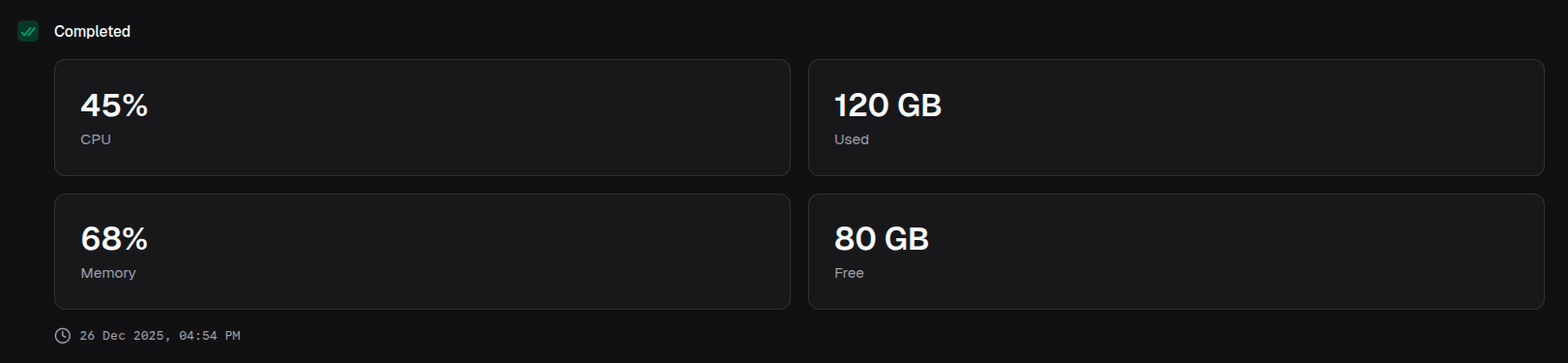
return block.layout({
  columns: 12,
  children: [
    {
      element: block.layout({
        title: 'Performance',
        columns: 2,
        children: [
          { element: block.kpiCard({ name: 'CPU', value: '45%' }) },
          { element: block.kpiCard({ name: 'Memory', value: '68%' }) },
        ],
      }),
      colSpan: 6,
    },
    {
      element: block.layout({
        title: 'Storage',
        columns: 2,
        children: [
          { element: block.kpiCard({ name: 'Used', value: '120 GB' }) },
          { element: block.kpiCard({ name: 'Free', value: '80 GB' }) },
        ],
      }),
      colSpan: 6,
    },
  ],
})
Image gallery
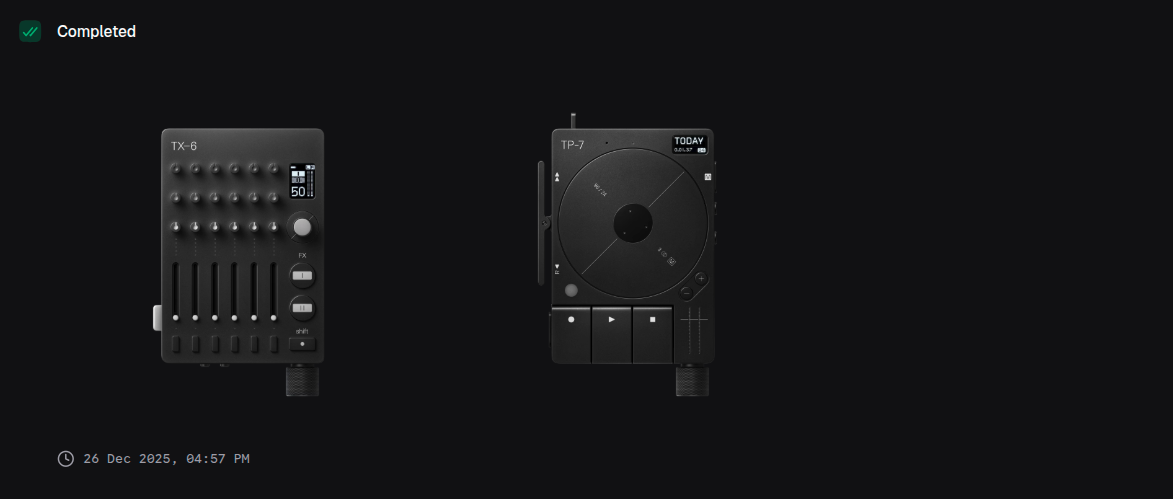
return block.layout({
  title: 'Product Images',
  columns: 4,
  children: images.map((img) => ({
    element: block.image({
      url: img.url,
      alt: img.alt,
      aspectRatio: '1:1',
      fit: 'cover',
    }),
    colSpan: 1,
  })),
})
Three-column content
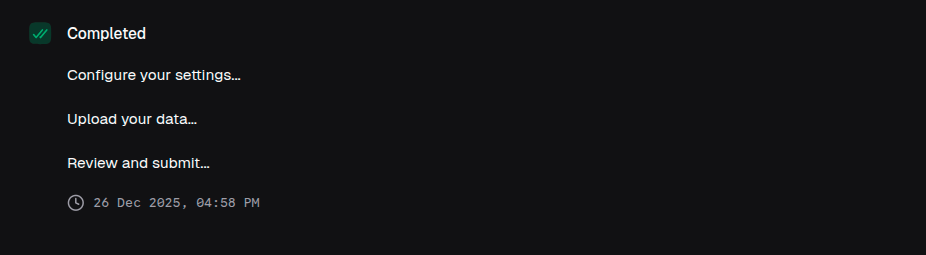
return block.layout({
  columns: 3,
  children: [
    {
      element: block.text({
        title: 'Step 1',
        content: 'Configure your settings...',
      }),
    },
    {
      element: block.text({
        title: 'Step 2',
        content: 'Upload your data...',
      }),
    },
    {
      element: block.text({
        title: 'Step 3',
        content: 'Review and submit...',
      }),
    },
  ],
})
Sidebar layout
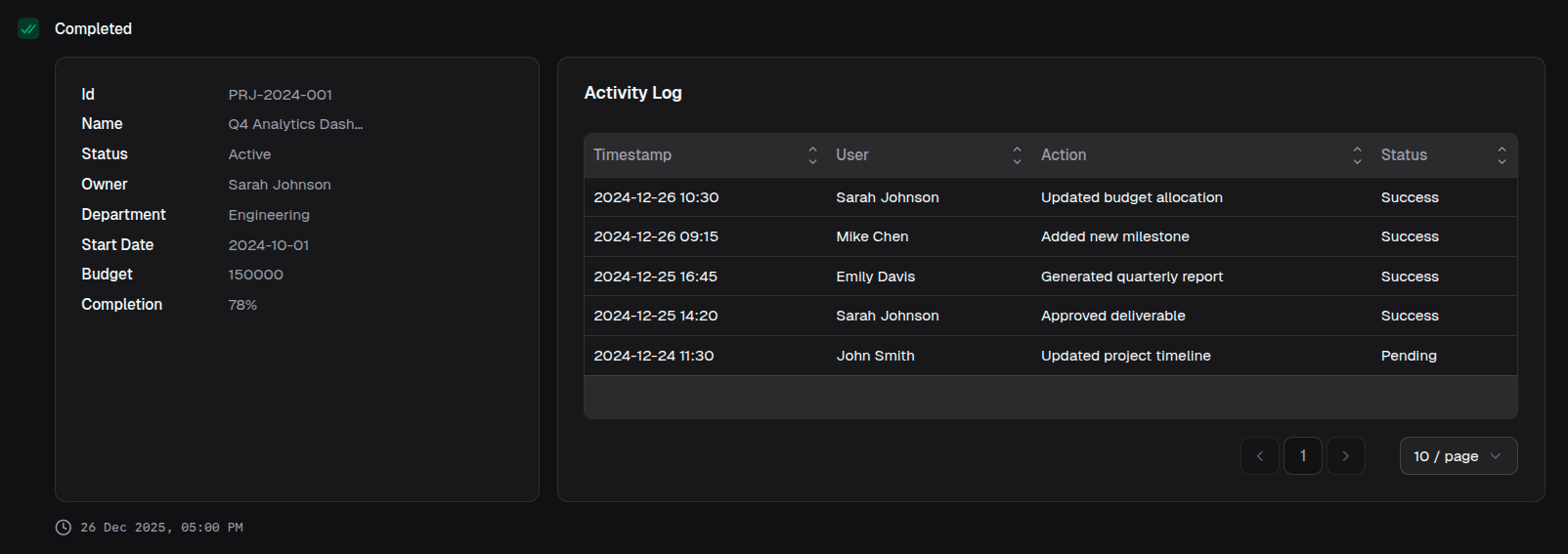
return block.layout({
  columns: 12,
  children: [
    {
      element: block.object({
        title: 'Details',
        data: detailData,
      }),
      colSpan: 4,
    },
    {
      element: block.table({
        title: 'Activity Log',
        data: activityLog,
        columns: logColumns,
      }),
      colSpan: 8,
    },
  ],
})